
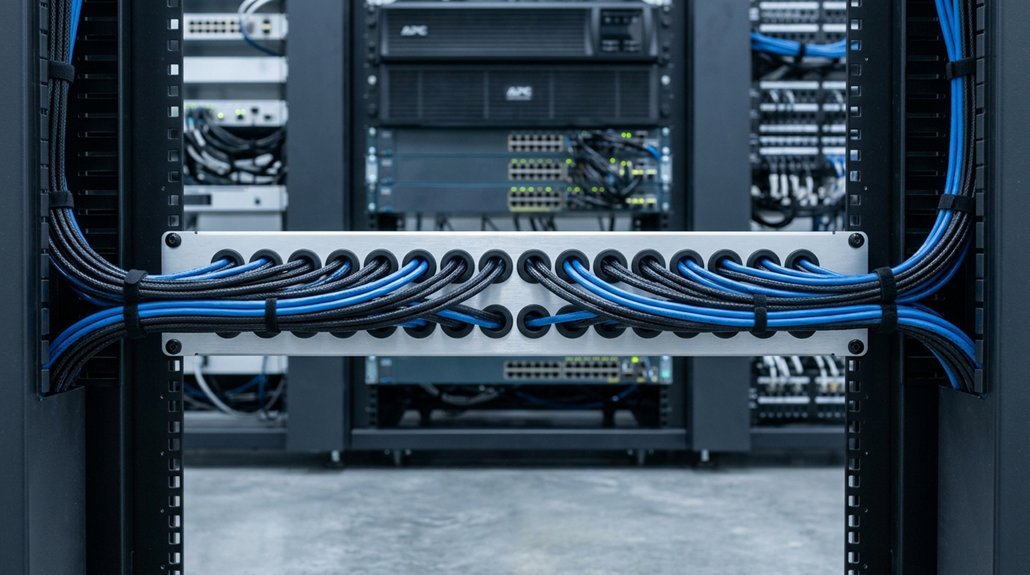


You’re staring at a rack full of spaghetti cables, and you know it’s only going to get worse. A 1U cable manager can save your sanity, but not all are built equal. Some block airflow. Others fight you during every patch change. In the next few minutes, you’ll see which ten managers actually hold up in real server closets. Finger ducts, D-rings, metal vs. plastic: we’ll sort it out so you pick once and install with confidence. Skip the wrong choice, and you’ll be back here in six months regretting it.
Do You Really Need 1U Cable Management?
Why does 1U cable management matter? You’re probably juggling tight rack space and messy cables. 1U Cable Management helps you reclaim order without eating up room you can’t spare.
Unlike Vertical Cable Management that stacks beside your gear, 1U horizontal options sit right with your devices. You’ll save roughly 25–30% of rack space compared to bulky vertical setups. That’s huge when every U counts.
A compact 1U organizer, roughly 19 × 1.9 × 1.7 inches with 24 slots, keeps your runs tidy. You’ll cut clutter, boost airflow, and block dust. Arc-angle designs protect cables from scratches during installs. You can handle multiple wires at once, speeding up your work.
Skip it if your rack has built-in channels or simple cabling. But for heavier loads, dedicated 1U raceways deliver structured Server Rack Cable Management where space is tight.
Recommended Products

Product Size: W 19" x D 2.75 " x H 1.75 " (1U); Fits for Standard 19” Rack.
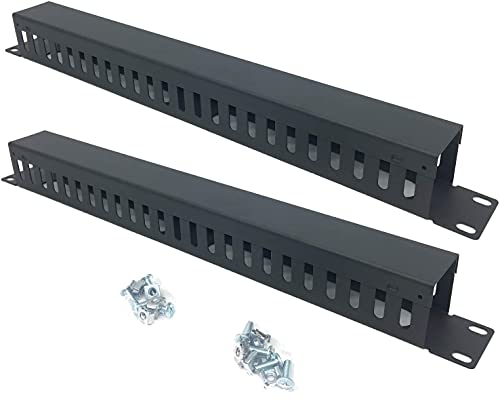
Product Size: H 1.75 * D1.85 * W 19 inch, 24 Slots, Each slot width: 0.28"; Fits in any standard 19" rack mount, server cabinet, shelf and more.

Assembled Product Dimension: W 19" x H 1.7" x D 1.3", 1U Space; Suitable for any 19" Standard Server Rack or Network cabinets.
Finger Duct or D-Ring: How to Choose?
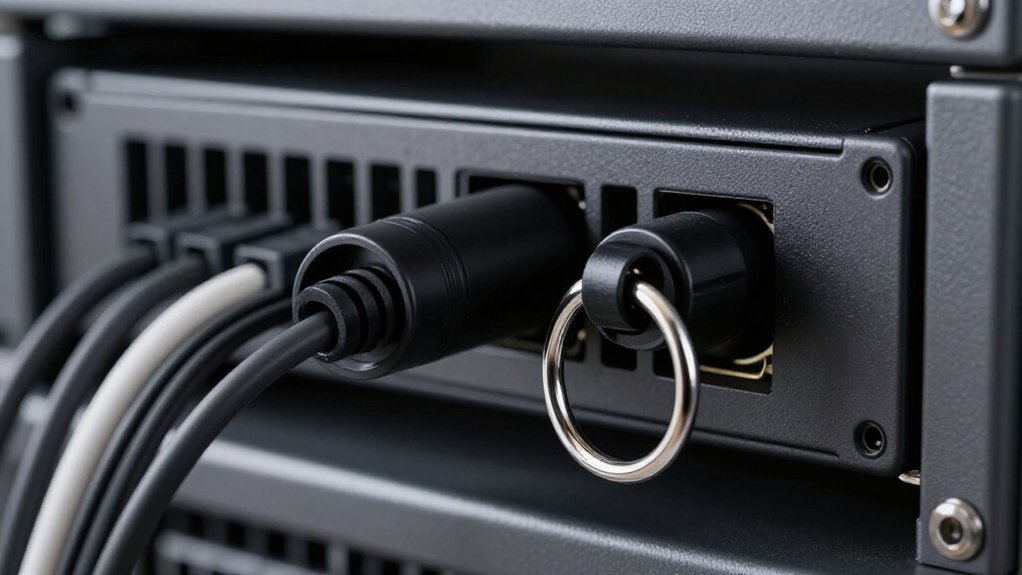
When you’re staring at two nearly identical 1U cable managers, the real difference comes down to how you actually work with your cables.
Pick Finger Duct for organized, protected runs. Its hinged, finger-like channels separate individual cables across your Horizontal Cable Management space. You’ll reduce tangles and protect airflow in dense Cable Rack setups. The guided openings also prevent snags during pulls.
Pick D-Ring for speed and flexibility. These rounded rings let you snap bundles in and out fast. When you’re doing lots of adds, moves, and changes, you won’t disturb neighboring cables.
Quick check: Most 1U options measure roughly 19 × 1.9 × 1.7 inches with 20+ slots or ring points. Match your rack’s 19-inch pattern, and you’re set.
Recommended Products


Best 1U Managers for High-Density Patch Panels
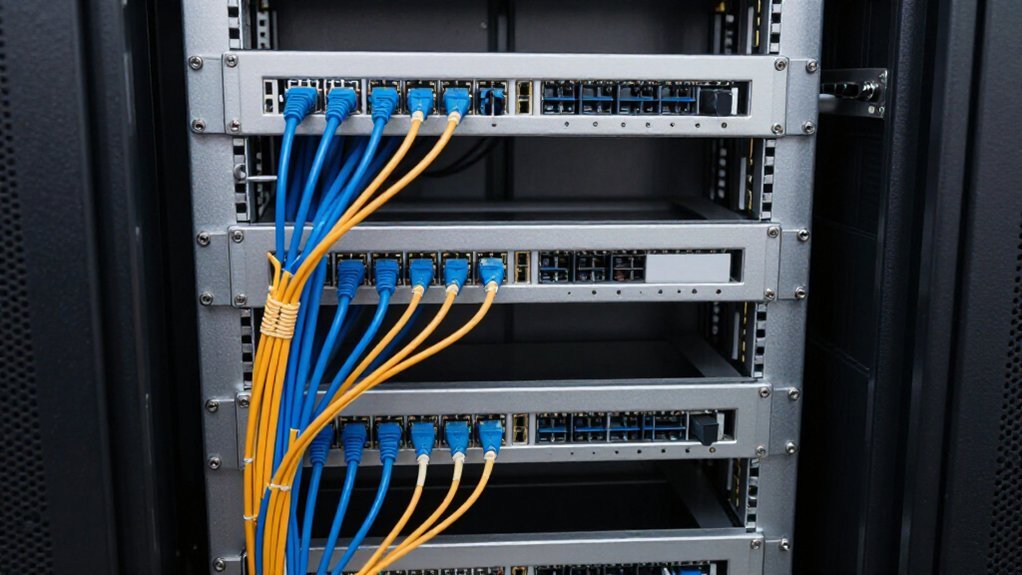
When you’re packing a patch panel tight with connections, every inch of rack space matters, and that’s where smart 1U managers really earn their keep. You’ll recover precious vertical space by keeping cables horizontal and tidy, rather than letting them sprawl and steal room you need for gear. Modular designs let you snap in extra rings or swap finger ducts as your setup grows, so you’re not ripping everything out when needs change.
Recommended Products

Made of cold rolled steel, Rounded edge without cutting cable, Durable and will never rust.

What You Will Get: the package comes with 4 pieces of 1U 24 Slot cable management brushes and more than 16 pieces of screws, which can satisfy the installation of rack panels

Size: Dimension: 483mm x 45mm x 60mm/19 inch x 1.77 inch x 2.36 inch(L*W*H); Mount Hole Size: 11mmx 7mm/0.43 inch x 0.27 inch(L*W); Mount Hole Distance: 465mm x 32mm/18.3 inch x 1.26 inch(L*W); Package: 4 Pcs x 1U 19 Inch Cable Manager.
Space Recovery Benefits
In high-density server racks, every inch of vertical space matters. You can reclaim precious room by choosing smart Cable and Rack Management options that work harder for your data center.
Horizontal Zero U RackManagers keep your cables organized in the same U space as your patch panel. You don’t burn extra 1U or 2U slots on separate managers.
Zero U Recovery
- Recovers 25–30% of rack space lost to traditional finger ducts or D-rings
- Mounts with simple brackets extending off rack front or rear rails
- Leaves your 1U slots free for actual equipment
For tight setups, a 1U horizontal organizer like the Dunzy MX-Dunzy-292 (about 19 × 1.9 × 1.7 inches, 24 slots) centralizes your terminations without added height. Fast 4-screw mounting keeps installation practical.
Modular Design Advantages
Because your rack layout rarely stays the same forever, modular 1U cable managers give you room to grow without starting over.
Why Modular Wins
You can reconfigure these units to match different cable routing needs without replacing your entire Management system. Look for 1U models sized for standard 19-inch Rack Mount installation, typically about 19″ by 1.9″ by 1.7″, so they fit cleanly over patch areas.
Key Features to Grab
- Dense slotting, like 24 slots with roughly 0.28″ width, keeps many patch leads organized in a repeatable pattern
- Cover and raceway options protect cables from snagging and scratches during pulls
- Simple hardware requirements, such as four screws or nuts, let you scale consistently across multiple Rack locations
You build smarter, not harder, when your gear adapts with you.
Metal vs. Plastic: What Lasts in Real Data Centers
The durability debate between metal and plastic cable managers comes down to how much wear your data center will actually see.
Metal Wins for Heavy Use
You’ll find metal managers, typically 16-gauge or 18-gauge cold rolled steel with all-welded construction, resist bending far better than plastic. They maintain alignment through countless cable moves. Many feature arc-angle designs that protect cables from scratches during installation, something plastic struggles to match.
Where Plastic Falls Short
Plastic organizers can discolor or warp under constant heat cycles and handling stress. Metal units are marketed as rust-proof and built for long-term installs where cable routing changes over years.
Size Still Matters
Even compact 1U metal organizers, around 19 × 1.9 × 1.7 inches, include mounting screws and nuts for structural stability rather than flexible snap-in systems.
Recommended Products

EASY MOUNTING: This 19” 1U server rack cable manager mounts vertically or horizontally to your 19” 2 or 4-post rack to help organize networking cables in your data center

CONTROL VERTICAL CABLE RUNS: Mounts vertically to 2-post and 4-post racks and supports both 10-inch and 19-inch rack systems, making it easy to maintain clean, structured cabling in data centers or network closet

Functions: Keeping your cables organized on a rack mount. Reducing the possibility of disconnections and maintaining the organization of your cables.
Zero U Alternatives When Rack Space Is Tight
When rack space runs tight, you’ll want to explore how Zero U alternatives recover 25–30% of your vertical real estate by mounting horizontally within the same U as your equipment rather than stacking separate managers. You’ll find options in 19″ and 23″ widths with shallow 2.8-inch depths that tuck neatly behind or beside gear, plus sturdier adjustable models when you need more flexibility. Before you choose, weigh the upfront cost against long-term savings: you’re buying back usable rack units while keeping cables organized and airflow open with tough welded steel construction.
Recommended Products

Flexible Keystone Patch Panel: This 24 port blank patch panel supports a wide range of standard-sized keystone jacks, including RJ45 keystone, RG6 Coaxial keystone, HDMI keystone, Banana Jack Binding Post Keystone, 3.5mm keystone, USB keystone, fiber keystone, and more—ideal for audio, video, voice, and data applications.

Superior Network Performance: Boost your network with this 1U 24-port Cat6A STP patch panel, optimized for shielding against interference and capable of handling data transfer rates up to 10Gbps. Fully supports PoE, PoE+, and PoE++, making it ideal for advanced network setups requiring high-speed connectivity and reliable power delivery.

Sturdy panel bracket for mounting standard 19” patch panels, shielves, or cable management panels with 1U (1.75”) height
Space Recovery Benefits
If you’re constantly running out of vertical real estate in your server racks, Zero U cable management offers a smart way to reclaim wasted space. These clever solutions mount right alongside your active gear, so you don’t burn precious U slots on cable organizers alone.
You’ll typically recover 25–30% of rack space that old-school 1U or 2U finger ducts would eat up. That means more room for servers, switches, or storage where every U counts.
Here’s what makes Zero U space recovery stand out:
- Mounts within the same U as your device, zero vertical penalty
- Fits 19″, 23″, and adjustable-depth racks without hassle
- Bracket extensions grab front or rear rack space, not height
- Ditches the full 1U bay that standard 19 × 1.9 × 1.7 in organizers demand
- Cuts clutter and boosts airflow in packed deployments
Mounting Location Options
Zero U cable management gives you three main ways to keep cables tidy without eating up rack space.
First, you mount horizontal Zero U units in the same U area as your active device. You don’t consume extra rack units this way. Common options include 19″ and 23″ horizontal racks and shelves, like a 19″ x 6 horizontal shelf. These give flexible mounting depth while staying 0U.
Second, you extend brackets off the front or rear rack posts. This creates a true 0U alternative without buying dedicated Zero U gear.
Zero U designs typically recover 25–30% of rack space compared with vertical 1U or 2U finger duct managers.
If Zero U isn’t available, you still have a practical 1U fallback: a horizontal organizer raceway with ~24 slots around 0.28″ each, mounting with simple screws and nuts.
Cost Efficiency Comparison
The real savings with Zero U cable management show up when you’re counting every rack unit.
You’re reclaiming around 25–30% of rack space compared to conventional 1U or 2U finger ducts or D-rings that eat up vertical units. This means you skip buying dedicated cable manager units entirely. A Zero U system runs about 2.8 to 3.8 inches deep, fitting in the same U space as your active gear.
You’re dodging expensive redesigns you’d need with bulky alternatives. Those typical 1U organizers, roughly 19 by 1.9 by 1.7 inches, still cost you a whole U block. When capacity’s tight, that trade-off hurts. Some shops try extending brackets front or rear at 0U, which saves cash but doesn’t fully match purpose-built Zero U recovery.
Zero U advantages you gain:
- Squeeze 25–30% more usable rack space
- Eliminate dedicated cable manager purchases
- Shrink system depth to roughly 2.8 inches
- Avoid pricey oversized mounts and redesigns
- Preserve tight 1U layouts without stacking clutter
Best 1U Managers Under $50 (Tested for Durability)
Because you’re working with a tight budget doesn’t mean you have to settle for flimsy cable management. You can find solid 1U horizontal cable managers under $50 that fit standard 19-inch racks and mount with simple screw hardware, usually about four screws and nuts.
Look for quality metal builds, like the MX-Dunzy-292 raceway (19 × 1.9 × 1.7 inches), which resists rust and lasts longer. Pick models with around 24 slots at roughly 0.28 inches wide for better cable control and less stress during installs.
Choose arc-angle designs that protect cables from scratches when you’re pulling patch cords. Double-check that your listing includes plenty of hardware, more than 32 screws, so you’re never tempted to use weak substitutes that’ll fail later.
Recommended Products

Product Size: W 19" x D 2.75 " x H 1.7 " (1U), Fits 19 Inches Networking Equipments or Cabinets

Space-saving: This server rack cable management is made of plastic, lightweight,easy to assemble and disassemble,can save space and manage cables

Compatible with DeskPi RackMate T1/T0/T2/T1 Plus/T0 Plus/TL1/T1/2 Plus Server Rack and 10 inch Server Rack or Network Cabinet.
How to Mount a 1U Manager Without Stripping Threads
Before you tighten a single screw, you’ll want to inspect the threads on your rack rails and match them with proper cage nuts, those small metal squares that clip into rack holes and give you clean, reusable threads to screw into. Start every fastener by hand, turning it three to five times to make sure it’s straight, misalignment is what ruins threads faster than anything else. Once everything lines up, snug the screws firmly but don’t overdo it, gorilla-tightening just deforms the hardware and guarantees you’ll strip something next time.
Recommended Products
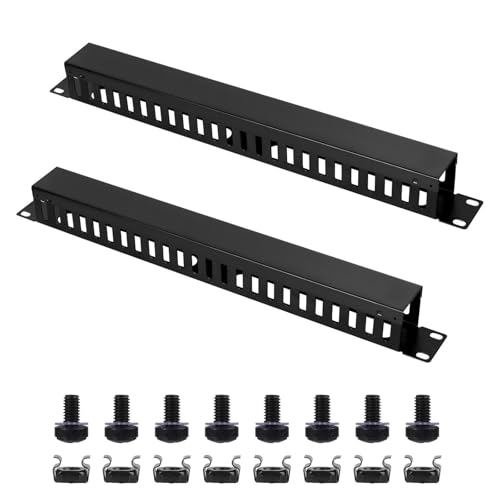
【1U Cable Management Rack】This cable raceway kit includes 2 pcs 19"(W) X 1.85"(D) X 1.75"(H) cable raceways, 8 pcs M6 screws and cage nuts. The cable raceway black has 24 slots, each slot is 0.26" wide. This wire raceway is easy to install and suitable for standard 19" server racks and network cabinets.

Pre-Installation Thread Inspection
Even a brand-new server rack can hide damaged threads that’ll ruin your 1U cable manager install. You need to check every 10-32 or M5 hole before you start. Look closely for clean, intact threads without cross-threading or stripping. Then run a hand test: thread a known-good screw in gently. If it binds, stop immediately. Don’t force it.
Hold your manager up to confirm screw holes line up perfectly. Starting off-angle strips the entry fast. For multi-screw mounts, plan your crisscross pattern now to keep brackets square.
Here’s your pre-install checklist:
- Visually inspect each threaded rail hole for damage
- Hand-test with a good screw, no torque tools
- Verify hole alignment before starting any screw
- Plan crisscross tightening for multi-fastener setups
- Fix damaged threads first, never power through
Proper Torque Technique
Once you’ve confirmed your threads and positioned everything up, you’re ready to tighten things down without wrecking the rack. Start every screw by hand for several turns. This helps your 10-32 or M6 threads mesh correctly, because cross-threading damages threads fast.
Grab a torque wrench and set it to the manufacturer’s spec, usually just a few inch-pounds for rack accessories. Stop the instant you hit that value. For horizontal 1U managers, use all intended screws, often about four. Tighten them in a cross pattern with small increments per screw. Don’t fully torque one side first.
Seat parts lightly so they sit flat, then apply torque in stages. Never snap the wrench. Overtightening strips threads in thin rack steel. Feel unusual resistance? Stop immediately and back the screw out. Forcing it causes permanent damage, leaving you to need a new screw, thread insert, or different mounting point.
Four Install Errors That Damage Cables and Void Warranties
When you’re installing a 1U cable manager, it’s easy to think “tight fit, good result.” But that’s where trouble starts. Small mistakes rack up big consequences: damaged jackets, intermittent faults, and warranties you can’t claim. Here’s what trips people up most:
- Overstuffing the slots, forcing sharp bends that scuff cable jackets
- Skipping mounting hardware, letting the raceway loosen and abrade cables
- Routing across sharp edges without strain relief, inviting nicks and faults
- Squeezing cables through undersized openings, pinching conductors inside
- Mixing conflicting practices, like keeping vertical ducts while cramming 1U, trapping heat
Read your specs. The Dunzy MX-Dunzy-292, for example, handles 24 cables in ~0.28-inch slots, but only if you use all four screws. Respect the limits, install properly, and your cables stay covered.
When to Skip 1U and Go Vertical Instead
Why stick with 1U cable managers when your rack is already bursting at the seams? Sometimes vertical routing saves the day.
When Vertical Wins
- Space is tight. Horizontal Zero U RackManagers mount in the same U as your device, using zero extra units. But when even that feels cramped, vertical channels free up horizontal real estate entirely.
- You need long, clean runs. Vertical finger-ducts carry cables from top to bottom without breaking the path at every 1U section.
- Density demands it. High cable counts mean less re-terminating when routes stay continuous.
- Airflow matters. Vertical paths keep front-to-back clearance clearer than stacked 1U raceways can.
Skip 1U when depth limits or slot layouts, like 24-slot rail styles, box you in. Vertical upgrades solve routing without fighting those constraints.
The Small Accessories That Make or Break Your Install
Three tiny details, and your rack goes from chaos to clean. You pick a 1U horizontal cable manager sized right for your 19-inch rack, about 19 by 1.9 by 1.7 inches, so it snaps in without wasted space. You check that your kit includes enough mounting hardware: some need just four screws, others pack 32+ for multiple organizers. You look for lots of small slots, around 24 with quarter-inch spacing, because tight gaps keep thick cable bunches tidy.
You also grab arc-angle cable entries that stop scratches when you pull lines through. You top it off with a covered 1U raceway to block dust and keep paths uniform.
- Sized-to-fit 1U managers for 19-inch rails
- Verified screw counts in every kit
- 24+ tight slots for neat bundling
- Arc-angle entries to protect cables
- Covered raceways for dust control

I am Đinh Ai Nguyễn, a content writer at SoftAuraHome.com. For me, home is more than just a place to live. It is where we recover from long days, hold our quiet moments, and create the atmosphere that shapes how we feel. That belief is one of the biggest reasons I wanted to be part of this blog. I started writing about home decor because I have always been drawn to spaces that feel soft, peaceful, and emotionally grounding. I believe a calm room can do more than look beautiful. It can bring comfort, restore energy, and help people feel more connected to themselves and the life they are building. Through Soft Aura Home, I want to share ideas that are not only visually inspiring, but also meaningful in everyday life. With experience in SEO writing and niche content publishing, I understand how to create articles that are clear, useful, and easy to discover. But beyond strategy, I care deeply about how a piece of content makes someone feel. Every article I write is created with the hope of helping readers shape homes that feel gentle, personal, and full of quiet warmth.
Follow on Facebook