
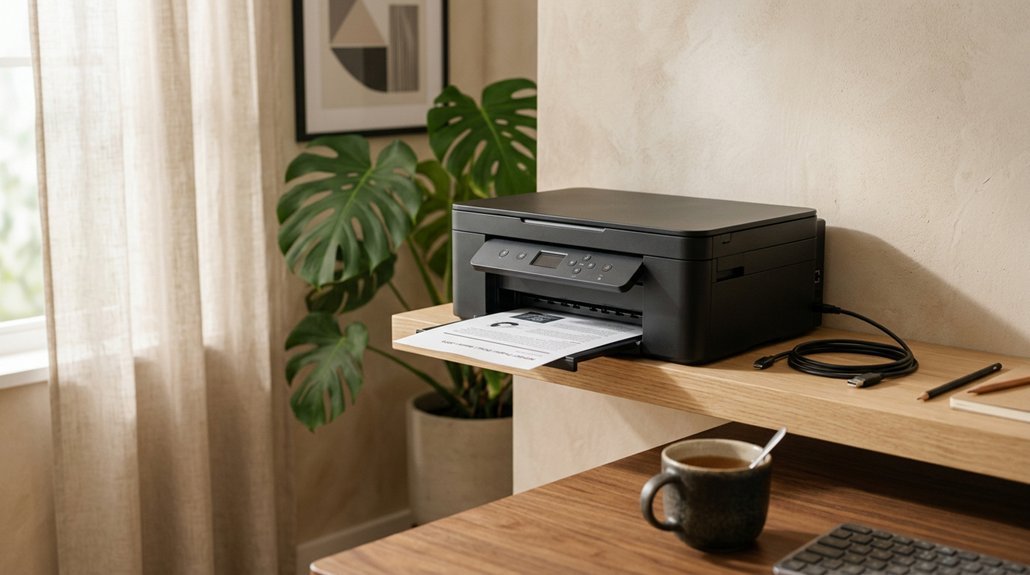


You don’t need to spend a fortune to get a printer that actually works for your home office. The right all-in-one handles printing, scanning, and copying without constant headaches or hidden costs.
We’ll walk you through seven solid options for 2026, from budget-friendly inkjets to workhorse laser models, so you can pick what fits your space and workflow. Each one brings something different to the table: automatic document feeders, refillable ink tanks, or smart assistant compatibility.
By the end, you’ll know exactly which features matter for how you actually work. Let’s get started.
HP OfficeJet Pro 8125e Wireless All-in-One Printer (405T6A)

The OfficeJet Pro 8125e is perfect for home offices printing professional-quality color documents like business documents, reports, presentations and flyers. Print speeds up...
Why choose the HP OfficeJet Pro 8125e?
You’ll get a printer that handles your whole workflow without hogging your desk. The HP OfficeJet Pro 8125e prints, scans, copies, and even feeds multiple pages automatically with its ADF. You won’t flip sheets manually for two-sided printing either: duplex printing happens automatically.
Speed and smarts
You’ll print up to 20 black-and-white pages or 10 color pages per minute. HP’s built-in AI cleans up your documents, removing weird formatting glitches so your reports look polished.
Stay connected
Dual-band Wi-Fi spots and fixes connection hiccups on its own. The HP App lets you print or scan from your phone, tablet, or computer wherever you’re working.
Ink made simple
Activate HP+ and you’ll receive three months of Instant Ink. Cartridges arrive before you run dry. After that, you’ll pay monthly unless you cancel.
With a 225-sheet tray and compact Light Cement finish, this all-in-one fits busy home offices without the fuss.
Best For: Home office workers and small business owners who need a compact, reliable all-in-one printer with automatic document feeding and smart connectivity features.
Pros: All-in-one functionality with automatic document feeder and duplex printing saves time and effort. Dual-band Wi-Fi with auto-troubleshooting and mobile app support enables flexible, hassle-free printing from any device. 3-month Instant Ink trial with HP+ helps avoid unexpected ink shortages and simplifies supply management.
Cons: Print speeds (20 ppm black, 10 ppm color) are moderate and may lag behind laser printers for high-volume jobs. Requires ongoing monthly subscription after trial period to continue Instant Ink service. 225-sheet input capacity may require frequent refilling for users with larger print volumes.
Recommended Products

THE LAST PRINTER YOU'LL EVER NEED – Set it up once and print with confidence; no complicated maintenance, just easy, reliable printing you can count on

Never run out of ink. Connect your printer to Alexa and receive notifications when you’re running low. Alexa can even place a smart reorder from Amazon on your behalf, if you enroll in smart reorders

Professional Performance: Dominate your business printing with this Brother Genuine color laser printer delivering exceptional print speeds up to 19 ppm and stunning laser-quality output that makes your documents stand out from the competition
Canon PIXMA TS6520 Wireless Color Inkjet Printer (White)

Affordable Versatility - A budget-friendly all-in-one printer perfect for both home users and hybrid workers, offering exceptional value Crisp, Vibrant Prints - Experience...
The Canon PIXMA TS6520 hits a sweet spot for hybrid workers who need quality without complexity. You get an all-in-one color inkjet that prints, scans, and copies without eating up your desk space. The compact white design fits anywhere. Setup takes minutes from your phone or computer.
What You’ll Love. Crisp output: the 2-cartridge hybrid ink system gives you sharp text for documents and vivid colors for photos. Automatic 2-sided printing lets you save paper without flipping pages yourself. Easy controls: the 1.42″ OLED display shows ink levels and status at a glance.
Stay Connected. You print reliably over dual-band Wi-Fi, choosing 2.4GHz or 5GHz for the strongest signal. The Canon PRINT App, Apple AirPrint, and Mopria let you send jobs straight from your phone.
Best For. Home users and hybrid workers who want affordable versatility. You handle documents and photos with equal confidence, no technical headaches required.
Best For: Home users and hybrid workers who want affordable, versatile printing for documents and photos without technical complexity.
Pros: Compact white design fits any workspace without sacrificing functionality. Automatic 2-sided printing saves time and paper. Dual-band Wi-Fi with multiple mobile printing options for reliable connectivity.
Cons: 2-cartridge ink system may require more frequent cartridge replacements than tank-based systems. 1.42″ monochrome OLED display is small and lacks color. Maximum print size limited to 8.5″ x 11″ with no wide-format option.
Recommended Products

BEST FOR SMALL BUSINESSES – Engineered for extraordinary productivity, the Brother DCP-L2640DW Monochrome (Black & White) 3-in-1 combines laser printer, scanner, copier in one compact footprint and delivers high-quality black & white prints

BEST FOR HOME AND HOME OFFICE: This multifunction printer makes it easy to print, copy, and scan—all in one compact printer. Includes one 1,200-page yield black cartridge and one 500-page yield cartridge for each color in cyan, yellow, and magenta(2).

Affordable Versatility - A budget-friendly all-in-one printer perfect for both home users and hybrid workers, offering exceptional value
Brother DCP-L2640DW Wireless Monochrome Laser Printer with Alexa
BEST FOR SMALL BUSINESSES – Engineered for extraordinary productivity, the Brother DCP-L2640DW Monochrome (Black & White) 3-in-1 combines laser printer, scanner, copier in...
Need a printer that won’t quit when your workload piles up? The Brother DCP-L2640DW handles heavy duty without breaking a sweat. This compact 3-in-1 machine prints, scans, and copies in sharp black and white at speeds up to 36 pages per minute.
Why it stands out: The 50-page auto document feeder lets you scan or copy multi-page documents hands-free. Dual-band WiFi and Ethernet keep you connected however you work. The Brother Mobile Connect app puts control in your pocket: print, scan, check toner, even order supplies on the go.
You’ll save up to 50% on toner with the Refresh EZ Print subscription, and a free trial gets you started. It uses TN830 or TN830XL toner cartridges for crisp, professional results every time.
For busy home offices that demand reliability and speed, this Brother delivers.
Best For: Busy home offices and small businesses that need a reliable, high-speed monochrome all-in-one printer with wireless connectivity and cost-saving toner subscription options.
Pros: Fast 36 ppm printing with 50-page auto document feeder for efficient multi-page scanning and copying. Flexible connectivity with dual-band WiFi, Ethernet, and USB plus full mobile control via Brother Mobile Connect app. Refresh EZ Print subscription offers up to 50% savings on genuine Brother toner with a free trial included.
Cons: Monochrome only, no color printing capability for graphics or photos. Requires specific Brother TN830/TN830XL toner cartridges, limiting third-party options. No automatic duplex scanning mentioned, potentially slowing two-sided document workflows.
Recommended Products

Wireless Print/Copy/Scan

Wireless Print/Copy/Scan (2)

THE LAST PRINTER YOU'LL EVER NEED – Set it up once and print with confidence; no complicated maintenance, just easy, reliable printing you can count on
HP OfficeJet Pro 8125 Wireless All-in-One Printer (C2VJ4A)

FROM AMERICA'S MOST TRUSTED PRINTER BRAND – The OfficeJet Pro 8125 is perfect for home offices printing professional-quality color documents like business documents,...
Looking for a printer that handles professional documents without hogging your desk? The HP OfficeJet Pro 8125 fits your home office perfectly. You get print, scan, copy, and fax functions in one compact machine, plus an automatic document feeder that saves you time on multi-page jobs.
Speed and capacity
You print up to 20 pages per minute in black and 10 in color. The 225-sheet tray means fewer refills during busy weeks. Auto two-sided printing cuts your paper use without extra effort.
Smart features
Your phone becomes a command center through the HP app. You print, scan, and copy from anywhere. The built-in AI cleans up web pages and emails before printing, so you waste less ink on unwanted ads and menus.
Security and sustainability
HP Wolf Essential Security guards your network against cyber threats. You also help the environment: this printer contains over 45% recycled plastic.
Ink notes
Your 3-month Instant Ink trial could save you up to 50% on ink. Afterward, you choose to continue or cancel. Remember, this printer works best with original HP cartridges; others may not function.
Best For: Home office professionals who need professional-quality color documents, wireless convenience, and multi-function capabilities in a compact, sustainable package.
Pros: Fast 20 ppm black / 10 ppm color printing with auto duplex and 225-sheet capacity for efficient productivity. Dual-band Wi-Fi with AI-driven content cleaning and full mobile control via HP app. HP Wolf Essential Security and 45%+ recycled plastic content for secure, eco-conscious operation.
Cons: Requires original HP chipped cartridges; non-HP alternatives may be blocked by firmware updates. Instant Ink subscription becomes a paid monthly fee after 3-month trial unless canceled. Color print speed (10 ppm) is half the black speed, which may slow color-heavy workflows.
Recommended Products

FROM AMERICA'S MOST TRUSTED PRINTER BRAND – The Envy 6155 is perfect for homes printing everyday high-quality color documents like homework and borderless photos. Print speeds up to 10 ppm black, 7 ppm color.

Affordable Versatility - A budget-friendly all-in-one printer perfect for both home users and hybrid workers, offering exceptional value
Affordable Versatility - A budget-friendly all-in-one printer perfect for both home users and hybrid workers, offering exceptional value
HP DeskJet 2955 Wireless All-in-One Color Printer (A24HJA)

UPC: 198828789662 Weight: 10.450 lbs
Who’s this little printer for?
You’re looking at this one if you need basic home printing without breaking the bank. The HP DeskJet 2955 handles everyday color documents, copies, and scans in a compact package that won’t crowd your desk.
Key Features: Print speeds of 7.5 ppm black and 5.5 ppm color. A 60-sheet input tray. Dual-band Wi-Fi with automatic issue detection. An ICON LCD for simple controls.
The HP AI feature strips out extra web content so your pages print clean and readable. You can also print, scan, or copy straight from your phone using the HP app.
The 70% recycled plastic build and ENERGY STAR certification keep your conscience clear. Your first three months of Instant Ink come free, potentially cutting ink costs in half afterward.
Just remember: this handles basic jobs well, but you’ll want something beefier for heavy workloads or professional photos.
Best For: Budget-conscious home users who need a compact, easy-to-use printer for occasional color documents, web pages, and basic copying and scanning tasks.
Pros: Affordable entry-level price with free 3-month Instant Ink trial that can reduce ongoing ink costs by up to 50%. Compact design with dual-band Wi-Fi and smartphone app control for convenient wireless printing from anywhere. Sustainable construction with 70% recycled plastics and ENERGY STAR/EPEAT certifications for eco-conscious buyers.
Cons: Very limited 60-sheet input capacity and slow print speeds (7.5 ppm black, 5.5 ppm color) make it unsuitable for high-volume jobs. Basic ICON LCD control panel lacks advanced features and touchscreen functionality found in higher-end models. Subpar photo quality and modest paper handling capabilities won’t satisfy users needing professional-grade output.
Recommended Products

BEST FOR SMALL OFFICES – Combining space-saving efficiency and premium monochrome (black & white) print quality with affordability, the Brother MFC-L2820DW delivers dynamic laser print, copy, scan, and fax multi-functionality in a compact footprint

Updated design, professional results. High-quality output with sharp color and black printing. Fast print and copy speeds up to 33ppm(1) help boost productivity. Reliable performance and durable, compact design, 25% smaller than the previous model. Multipurpose tray for custom printing.

FROM AMERICA'S MOST TRUSTED PRINTER BRAND – Perfect for offices printing, scanning and copying black & white brochures, business documents and presentations. Perfect for 1-5 people
Canon PIXMA TS4320 Wireless Inkjet Printer (All-in-One)
Affordable Versatility - A budget-friendly all-in-one printer perfect for both home users and hybrid workers, offering exceptional value Crisp, Vibrant Prints - Experience...
Why sacrifice function when you’re tight on room? The Canon PIXMA TS4320 fits your workspace without cutting corners. This compact all-in-one handles printing, scanning, and copying in a footprint that won’t crowd your desk.
What you’ll love
Crisp, vibrant prints: The two-cartridge hybrid ink system delivers sharp text and vivid colors for documents and photos up to 8.5″ x 11″, borderless or bordered. Automatic two-sided printing saves paper and time without flipping pages yourself. Flexible wireless: Dual-band Wi-Fi (2.4GHz or 5GHz) keeps you connected. Print from your phone using the Canon PRINT App, Apple AirPrint, or Mopria.
Setup takes minutes, whether you’re using a smartphone or computer. The integrated scanner makes copying and digitizing documents quick and painless.
Eco-friendly choice: EPEAT Silver and ENERGY STAR certified, so you’re saving energy too.
If you need a reliable, space-smart printer that doesn’t skimp on features, the TS4320 delivers practical performance for your home office.
Best For: Home office users and students who need a compact, versatile all-in-one printer that delivers quality prints without taking up desk space.
Pros:
Space-saving compact design fits tight workspaces without sacrificing printing, scanning, and copying capabilities. Automatic two-sided printing saves paper and time for document-heavy tasks. Flexible dual-band Wi-Fi with multiple mobile printing options (Canon PRINT App, AirPrint, Mopria).
Cons:
Two-cartridge ink system may lead to higher long-term ink costs compared to tank-based alternatives. Limited to 8.5″ x 11″ maximum media size with no wide-format capability. No mention of automatic document feeder (ADF) for multi-page scanning or copying.
Recommended Products

BUSINESS PRINTING—VIRTUALLY ANYWHERE - Use your laptop, tablet, or smartphone to print, scan, and copy on the go, without having to connect to a network

FROM AMERICA'S MOST TRUSTED PRINTER BRAND – Perfect for small teams printing professional-quality black-and-white documents and reports. Print speeds up to 35 ppm black.
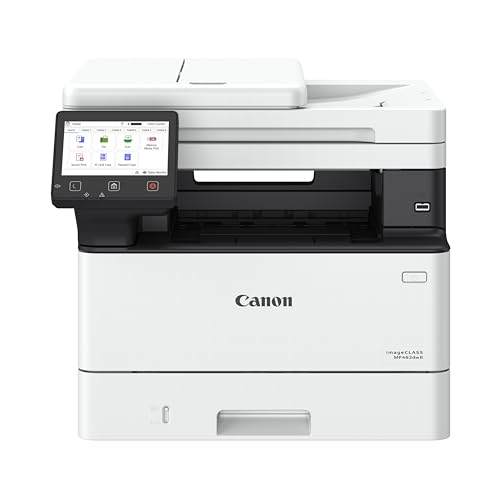
Monochrome, Wireless, Duplex 4-in-1: Print, scan, copy, fax.
Epson EcoTank ET-4800 Wireless All-in-One Printer

Innovative Cartridge-Free Printing ― High-capacity ink tanks mean no more tiny, expensive ink cartridges; Epson’s exclusive EcoFit ink bottles make filling easy and...
Tired of overspending on ink? You’ll love the Epson EcoTank ET-4800 and its cartridge-free design. Those high-capacity tanks replace tiny, pricey cartridges. You simply fill them with EcoFit bottles, no mess, no stress.
Why It Works for You
Prints everything clearly using Micro Piezo Heat-Free Technology, text stays sharp, colors pop on any paper. Scans, copies, and faxes with built-in features plus an ADF, that stands for Automatic Document Feeder, so multi-page jobs move fast. Connects your way through wireless or Ethernet.
Smart and Simple
The white compact body fits small desks. The color display guides you through setup and daily tasks. You waste zero cartridges, meaning less landfill trash and more money staying in your pocket.
For home offices needing reliability without constant ink runs, this printer keeps your workflow moving.
Best For: Home office users who want to eliminate expensive ink cartridge replacements and need reliable all-in-one functionality in a compact space.
Pros:
Cartridge-free EcoTank system with high-capacity ink tanks and easy EcoFit bottle refilling saves significant money on ink over time. Micro Piezo Heat-Free Technology delivers consistently sharp text and vibrant color prints on virtually any paper type. Built-in scanner, copier, fax, and automatic document feeder streamline multi-page document workflows.
Cons:
Requires upfront investment that may be higher than traditional cartridge-based printers. No mention of automatic duplex (double-sided) printing capability for paper savings. White color and compact design may show dirt or wear more easily in busy home office environments.
Recommended Products

BEST FOR SMALL BUSINESS: Print, copy, scan, and fax with one powerful device, with advanced security features for business. Includes one 1,800-page yield black ink cartridge and one 750-page yield cartridge for each color in cyan, yellow, and magenta.

Flatbed Scanner with ADF ideal for large documents, photos, cards, books, and more

Factors to Consider When Choosing a Home Office Printer With Scanner

You’ll want to match your printer to how you actually work, so let’s walk through what really matters. Think about how fast you need pages and how you’ll connect your devices. Consider whether you’re okay with pricey ink cartridges or you’d rather save with a tank system.
Don’t forget to check if it handles the paper sizes you use and whether you need bonus features like faxing or automatic two-sided printing.
Recommended Products

LESS FREQUENT INK REPLACEMENT — Each replacement ink bottle set for this Epson color printer is equivalent to about 90 individual cartridges

Epson EcoTank includes enough ink to last up to 3 years⁴.

INNOVATIVE CARTRIDGE-FREE PRINTING — No more dealing with lots of tiny ink cartridges; With this wireless document and photo printer each ink bottle set is equivalent to about 90 individual cartridges²
Print Speed Requirements
How fast do you need your printer to work? Print speeds range widely, from about 7.5 pages per minute (ppm) for color on basic models up to 36 ppm for monochrome laser printers. This speed affects how quickly you can turn around scanned documents after printing.
Match speed to your work:
- Black-and-white jobs: Aim for 20–36 ppm to cut time on multi-page tasks
- Color projects: Look for 10–20 ppm to keep things moving
Helpful features to notice:
- Automatic document feeders (ADF) speed up multi-page scanning and copying
- Duplex (two-sided) printing and scanning speeds matter for bigger jobs
Check whether the device lists scan-to-file speeds too. These details shape your real-world experience when handling double-sided documents from start to finish.
Connectivity Options
Connectivity Options
Where you print from matters just as much as what you print. Your home office printer needs to connect smoothly with all your devices.
Wireless That Works
Dual-band Wi-Fi (2.4 GHz and 5 GHz) keeps your printing reliable and setup simple. You’ll avoid frustrating dropouts when multiple devices share your network.
Wired Backup
Ethernet ports give you steady, fast connections. Use these when Wi-Fi feels crowded or you need consistent speed for big jobs.
Mobile Freedom
Most printers now support apps from HP, Canon, and others. You can print straight from your phone or tablet without touching your computer.
Scanning Smarts
Wireless scanning often needs companion apps or cloud services to work fully. Check that your chosen printer supports your preferred setup.
Ink Cost Efficiency
Why does the cheapest printer often end up costing you the most? You get stuck buying expensive, tiny cartridges that drain your wallet fast.
Watch Out for These Traps
Printers with “chipped” cartridges can lock you into pricey brand-name ink. Subscription plans like Instant Ink look tempting, but check if you’ll actually print enough pages to justify the monthly fee.
Smart Money-Saving Features
Look for refillable ink tanks or XL cartridges. These hold way more ink, so you pay less per page. Separate black and color tanks help too: you won’t waste color ink on simple black text jobs.
Some 2026 models use AI to shrink documents and cut wasted ink automatically. That’s real savings you notice every month.
Pick wisely now, you’ll thank yourself later.
Paper Handling Capacity
The right paper capacity keeps you from babysitting your printer all day. You want a tray that holds enough sheets for your typical workload without constant refills.
Input Tray Size
Most home office printers hold 60 to 250 sheets. If you print reports or contracts regularly, aim for 200+ sheets. You’ll reload less and stay focused on actual work.
Automatic Document Feeder (ADF)
An ADF lets you scan or copy multi-page documents in one go. You stack your pages, press start, and walk away. Without it, you’re flipping each sheet by hand.
Extra Trays and Rear Feeders
Some models add second trays or rear slots. You keep letter paper in one tray and envelopes or labels in another. This saves you from swapping paper types constantly.
Duplex Printing
Two-sided printing cuts your paper use in half. Check that your printer handles this automatically, not manually.
All-in-One Features
Once you’ve sorted out paper handling, you’ll want to look at what your all-in-one printer can actually *do*. These machines combine printing, scanning, and copying so you need less clutter on your desk.
Scanning Made Easy
An ADF (automatic document feeder) lets you stack multiple pages for scanning or copying without babysitting the machine. Look for auto-duplex scanning too, it grabs both sides of a page in one pass. That saves you time and cuts paper waste.
Image Quality Matters
Check the scanning resolution and color depth. Higher numbers mean sharper, more accurate digital copies of photos and documents.
Extra Perks
Some models add fax, cloud connectivity, or mobile scanning apps. Think about what you’ll actually use so you don’t pay for features that’ll sit untouched.

I am Đinh Ai Nguyễn, a content writer at SoftAuraHome.com. For me, home is more than just a place to live. It is where we recover from long days, hold our quiet moments, and create the atmosphere that shapes how we feel. That belief is one of the biggest reasons I wanted to be part of this blog. I started writing about home decor because I have always been drawn to spaces that feel soft, peaceful, and emotionally grounding. I believe a calm room can do more than look beautiful. It can bring comfort, restore energy, and help people feel more connected to themselves and the life they are building. Through Soft Aura Home, I want to share ideas that are not only visually inspiring, but also meaningful in everyday life. With experience in SEO writing and niche content publishing, I understand how to create articles that are clear, useful, and easy to discover. But beyond strategy, I care deeply about how a piece of content makes someone feel. Every article I write is created with the hope of helping readers shape homes that feel gentle, personal, and full of quiet warmth.
Follow on Facebook